The CoachSheets toolkit
Thoughtful tools.
Meaningful follow-through.
From the first worksheet to the next conversation, give every part of your between-session work a place to belong.
Explore the full toolkit below. Feature availability and limits vary by plan. Compare plans
01 Interactive worksheets
Give reflection a little more life.
Turn familiar coaching exercises into something clients can explore. With 46 interactive elements, they can map their Wheel of Life, sort values, organize priorities, and work through a GROW plan. Pair visual exercises with thoughtful questions to help clients notice what matters and bring more into your next conversation.
Try an interactive worksheet02 Ready-to-use library
Your next starting point is already here.
Open a built-in library of over 100 worksheets and workbooks, including 112 worksheet templates. Explore goals, habits, values, leadership, and life balance, then adapt a template to the person in front of you. Spend your energy choosing a meaningful exercise instead of starting every resource from a blank page.
Explore the template library03 Drag-and-drop builder
Your method. Your questions. Your worksheet.
Build from a blank canvas or personalize a template. Drag in interactive elements, add your own prompts, and arrange the experience in the order that makes sense for your coaching. Combine a visual check-in with an open reflection and a concrete next step, then preview the worksheet before sharing it.
Explore the builder04 AI-assisted PDF import
Bring your best materials with you.
Keep the thinking you have already put into your coaching resources. Import a PDF and let AI help turn it into an editable interactive worksheet. Review the draft, refine the questions and layout, and share a version your clients can complete in their browser. Your existing work becomes a starting point for a more engaging experience.
See how worksheet creation works05 Digital workbooks
Give deeper work a place to unfold.
Bring related exercises together in a guided, multi-chapter workbook. Start from 10 built-in workbooks or shape your own, giving clients a coherent place to reflect and work through a larger topic. Review their submissions in context, with the structure of the workbook keeping the bigger picture in view.
Browse digital workbook templates06 Scheduled coaching programs
Make the next step part of the plan.
Arrange worksheets into a sequence and schedule them over time. Start with one of 19 built-in programs or create a pathway around your own approach. Give clients a manageable rhythm of exercises while keeping each stage connected to the work you are doing together.
Explore coaching programs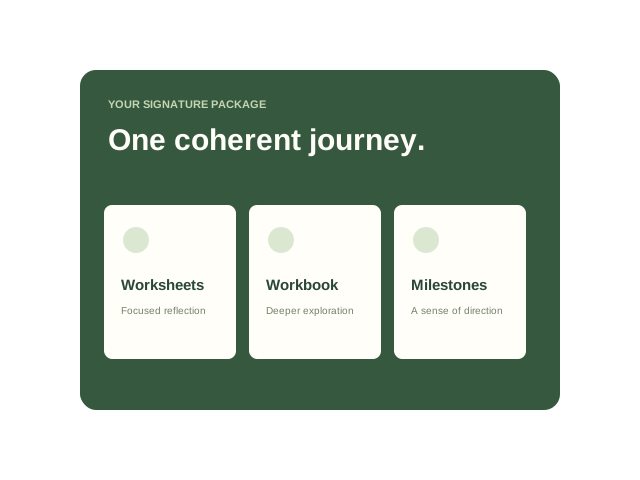
07 Worksheet bundles & signature packages
Turn individual tools into a coherent offering.
Group related worksheets into a bundle, or organize a larger coaching engagement with a signature package. Bring worksheets, workbooks, and milestones into a reusable structure you can adapt for each client. Define the journey once, then review its materials and delivery settings as you put it into practice.
Explore signature packages08 Secure magic links & mobile completion
One link. A little space to reflect.
Make getting started feel easy. Clients open their worksheet through a secure magic link and complete it in their phone or desktop browser. There is no app to install and no client account to create. From the first question to submission, the experience stays focused on the reflection you have invited them to do.
Explore the client experience09 Email & WhatsApp delivery
Meet clients where they already are.
Send a worksheet by email or WhatsApp, immediately or at a scheduled time. Your client receives a link that takes them into the exercise, while you keep the assignment and its delivery history in one workspace. Choose the channel and timing that fit the relationship, without juggling separate files and message threads.
See delivery options by plan10 Automatic reminders & personal nudges
Keep the invitation open.
Give unfinished work a gentle route back into focus. Set the timing and number of automatic reminders, and send a personal nudge when a client needs your attention. See pending assignments and reminder history together, so following up can be a thoughtful part of your coaching rhythm.
Explore reminder settings11 Pre-session & post-session automation
Let every session begin earlier and go further.
Automatically send a preparation worksheet before a session and a reflection or action plan afterward. Choose the worksheets and timing, set practice-wide defaults, and personalize them for individual clients. You can also set up intake sends, giving new relationships and ongoing sessions a clear, consistent next step.
Explore the session workflow12 AI response summaries & session preparation
Find the thread before you walk into the room.
Turn completed worksheet responses into a concise summary of the key themes. Review the recap alongside the client’s original words, then use their recent work and history to prepare for the next session. AI helps you find a starting point while you bring the context, curiosity, and coaching judgment.
See AI in the completion loop13 AI worksheet recommendations
A considered suggestion for what comes next.
Get a recommended next worksheet based on client responses, with a rationale to help you assess the fit. Use it as a starting point, review the resource, and decide whether it belongs in your client’s journey. The next step can build on what they have shared, with you choosing the direction.
Explore AI-assisted coaching14 AI worksheet building
Take an idea from “what if” to a first draft.
Describe the worksheet you have in mind and use AI to help build it. Turn a coaching intention into a draft with questions and interactive elements, then edit it in the builder. Adjust the language, depth, and sequence until it fits your client and your way of working before you send it.
Explore the editable canvas15 Conductor AI assistant
Move from context to the next action.
Bring natural-language assistance into your coaching workspace. Ask Conductor to help you prepare for a session, find client context, or work through a recommendation. It connects assistance to the clients, worksheets, and sessions you are already managing, with confirmation steps for actions that need your review.
Meet Conductor16 Daily coaching queue
Open your workspace. Know where to begin.
See the work that needs a decision: completed submissions to review, pending worksheets to follow up on, and sessions to prepare for. The dashboard brings those next actions together so you can move straight into the client’s work. Start your day with a sense of what matters, rather than a search through separate lists.
Explore the daily workflow17 Client profiles & timelines
Keep the person and the progress connected.
Bring each client’s worksheets, submissions, notes, and sessions into one history. Pick up where you left off, see what has happened between meetings, and use past reflections to inform the next conversation. Client profiles keep the practical details close while the timeline preserves the story of your work together.
Explore client management18 Coach–client worksheet comments
Keep the conversation close to the reflection.
Respond to a client’s worksheet with a comment, ask a follow-up question, or acknowledge something worth noticing. Clients can reply from their worksheet, keeping the exchange attached to the work that prompted it. When you return to prepare for a session, the answers and the conversation are there together.
Explore reviewing and responding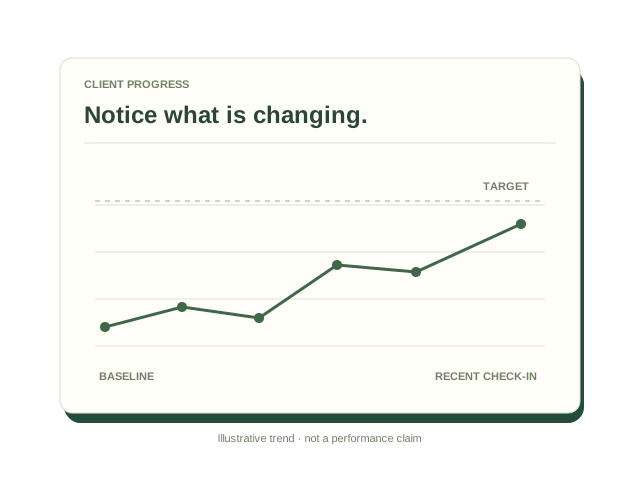
19 Client goals & progress tracking
Make change easier to notice.
Track client metrics over time and set goals with a baseline, target, and target date. Use the progress view to explore what is shifting, where things feel stuck, and what deserves a closer look. Bring observations and the client’s own reflections together to have a more grounded conversation about progress.
Explore client progress20 Practice analytics
See how the work is moving across your practice.
Review worksheet completions, completion rates, client growth, and the resources being used across your practice. Look at patterns over time and use the activity history to understand what has happened. Get a practical view of engagement that can help you decide where to pay attention next.
Explore practice analytics21 360° stakeholder feedback
Bring more perspectives into the picture.
Create a feedback campaign around a client and invite input from managers, peers, direct reports, or the client themselves. Choose the worksheet, set a deadline, and review the aggregated report. Give leadership and development conversations a broader foundation by considering how different people experience the same working relationships.
See the feedback workflow in a demo22 Calendar, scheduling & workflow integrations
Keep the tools you love. Connect the work.
Connect Google Calendar, Outlook, Zoom, Calendly, or Acuity to bring session context into CoachSheets. Use Zapier, Make, or the API to connect more of your workflow, including the client and scheduling tools you already use. Build a connected practice around your existing habits and the integrations available on your plan.
Explore integrations23 Team members & permissions
Give your team a shared place to work.
Invite coaches into your workspace and manage their roles and permissions. Decide who can view clients, create materials, send worksheets, and manage sessions, with team capacity based on your plan. Keep a growing practice organized around shared resources and clear access to the work each coach needs to do.
Explore team plans24 Coach identity & client-facing profile
Make the experience feel like it comes from you.
Add your coach profile and business details so clients can recognize who is guiding the work. Carry your identity into the worksheet header and keep the experience connected to your practice. For organizations that need broader branding and workspace options, explore the enterprise offering.
Explore options for your practice25 Privacy, security & data control
Treat client context with the care it deserves.
Give clients secure magic-link access to their worksheets, protect your own account with two-factor authentication, and manage access through team permissions. Client notes and phone numbers are encrypted at rest. Export or permanently delete client data, and choose whether AI is enabled for your team, so you can manage the workspace deliberately.
Read the privacy policy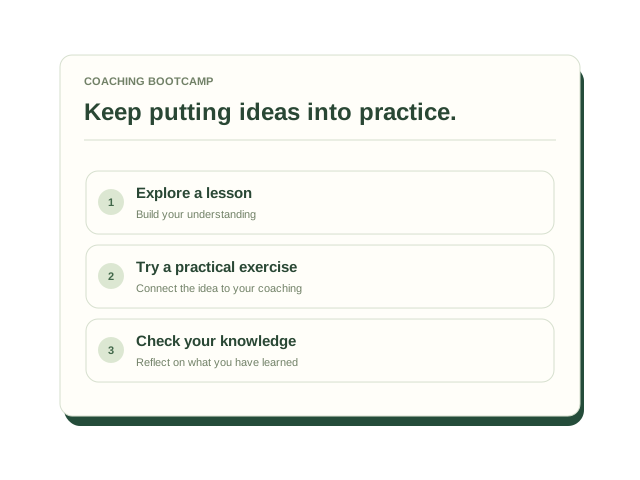
26 Coaching bootcamp & practical guides
Keep developing the way you work.
Explore the coaching bootcamp, lessons, practical exercises, and knowledge checks, alongside guides to using CoachSheets. Work through the learning material and its assessment pathway, or use a how-to guide when you need help with a specific workflow. Put new ideas into practice in the same place you manage your between-session work.
Explore the coaching bootcampEverything comes back to the client
Many thoughtful tools.
One connected loop.
Start with a worksheet that matters.
Give your next session something to build on.